
Yesterday I said a somewhat emotional goodbye to ChatGPT, deleting three years’ worth of conversations. There were a few reasons for that – partly because I didn’t want it working from contexts that no longer have any meaning, given how much my life and work have changed in that time. I also downgraded my subscription to free. I cleared out all the custom settings too, and for now it stays that way – I’m not saying it’s permanent, and I do still pay for the OpenAI API for my automations, because it’s perfect for those.
But over the past year, working with Anthropic’s product – Claude — has multiplied my productivity to the point where every other software subscription went out the window.
Claude — the browser-based office colleague
Like almost everyone, this is what I used the most for a long time. The most important thing, in my view, is not to use it like ChatGPT. It’s not really its strong suit if you’re firing off daily trivia – How many people live in Alabama? or How do you peel a pomegranate? –
– ChatGPT or Gemini still handle those fine. Claude will answer, sure, but there’s no point cluttering it up with that. It works much better when you think in projects from the start.
This is where Claude’s real advantage shows: if you put all the important information about a project into a .md file in the project folder, you don’t have to keep repeating yourself. It can respond in context — and all the files you create along the way can go there too, building up its memory of whatever you’re working on.
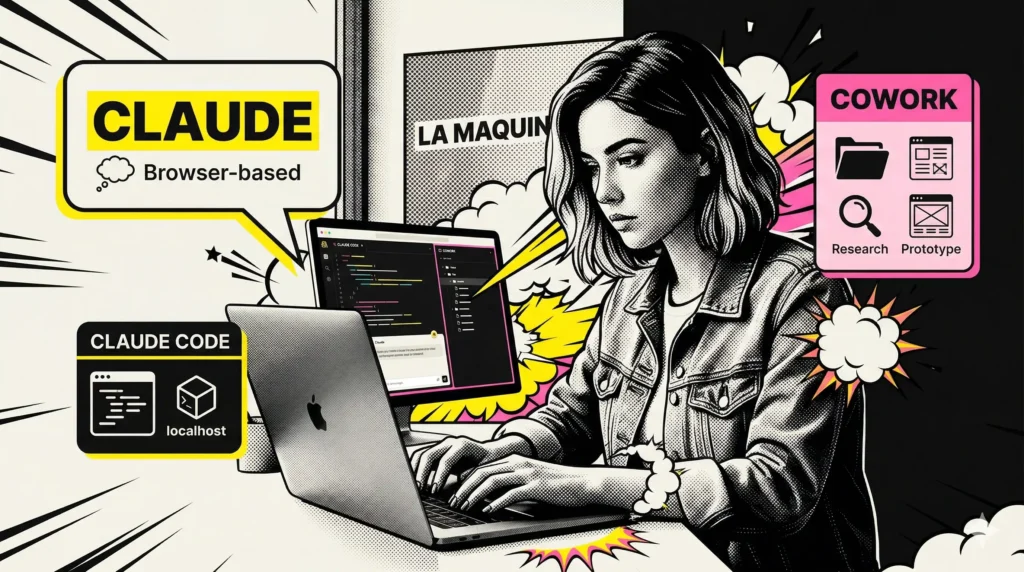
Claude Code – the localhost developer colleague
After a while I started running into the limitations of working in the browser – mainly on coding tasks. Browser Claude can put together impressive HTML prototypes, but both its coding and rendering capabilities fall short of what it can do when it has access to the actual images and files on my machine.
Claude Code can be run locally in several ways; I currently have it integrated into VSCode – alongside ChatGPT’s Code, which I use mainly for verification, or for cases where Claude gets uncertain about a solution or ties itself in knots.
Right now every one of my websites is connected via Claude Code MCP, so over the past six months the new normal has become clicking the Yes button as my version of web development. Is this vibecoding? Those of us in the industry laugh about this a lot, because yes… but also no. It’s still useful to know what it’s digging around in, what it’s overwriting, or where it finds a CSS class it’s been searching for on its own for the past 20 minutes.
So yes – I edit all my websites purely through iteration, through text, whether it’s content, bulk changes, or web design. Although for that last one, interestingly, Cowork has become my go-to.
Cowork – the creative virtual assistant
Cowork is a product that’s only been around for a few months, hidden inside the desktop app — and for a long time I didn’t even try it because I couldn’t understand what it could offer beyond regular browser Claude, or what I could ask of it that the other two couldn’t handle. Then it clicked: the missing link in why I’d been chatting with Claude but it wasn’t really part of my daily work was that it had no visibility into what I was actually working on at the file level – unless I uploaded something.
Cowork does exactly that on my own machine – or on a remote server — what nothing else did before: from organizing files to creating content, everything. I point it at a new website and ask it to check for typos, standardize naming conventions, find prices and update them, or create blog post categories – with SEO descriptions and proper URLs.
Claude Code can do that too, but it can’t handle all of it as a unified context within a complex project the way Cowork can.
For producing complex research materials it’s unbeatable for me — it does deep analysis and presents it in whatever format I want. From the same content it can put together an ebook, a presentation, or an Instagram carousel.
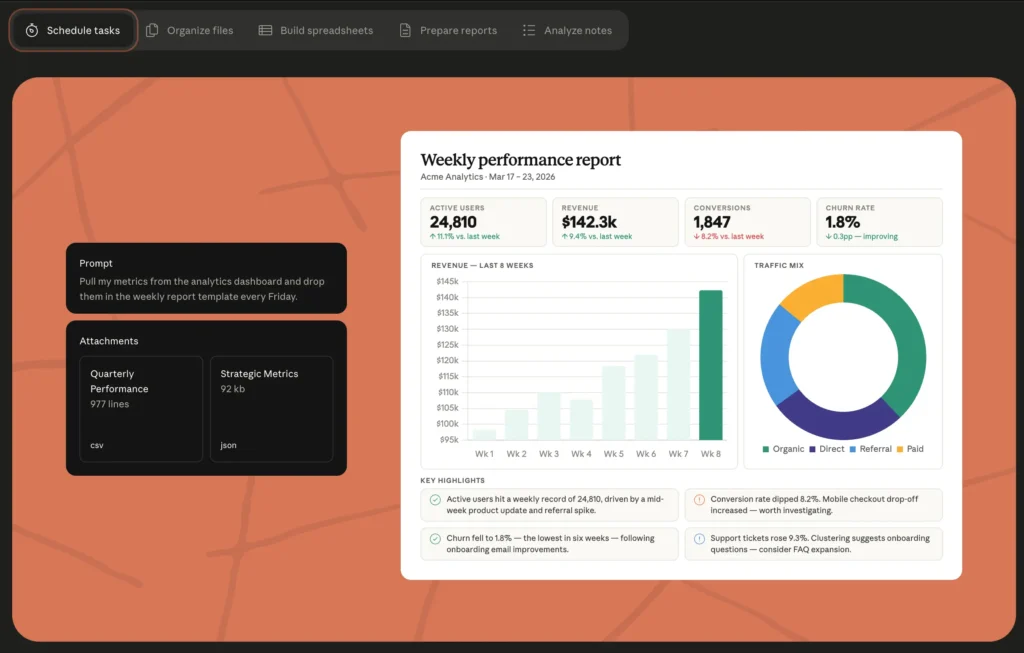
I also work on websites using Cowork – using various Claude skills and Cowork’s own – and right now it’s my designer. I haven’t opened Figma in months and I genuinely don’t think I need it anymore. The time I used to spend drawing boxes I now spend describing things, and 10 minutes later there’s an HTML prototype in front of me that I can refine through iteration until it’s ready to hand off to Claude Code for integration into the live site. This website was also created entirely using Claude’s tools, and I’m updating it right now. I’m not writing a single line of code or moving a single pixel.
So the way things work for me right now: as long as something isn’t in a project yet, or it’s early-stage, basic Claude is more than enough – then Cowork can work from Claude’s folders too. And when it’s time for execution, everything moves into Claude Code.
I’ve even taught them to communicate with each other.
Does Claude replace humans?
No. That said, I also don’t love that there’s no grammatically neutral term for AI tools in language – because you shouldn’t treat them as people. Claude is my extended memory, but I spend 6–8–12 hours a day with these tools – I see clearly where the human element is missing. The ability to evaluate a text or idea with human judgment, not just statistically-driven agreement.
It’s wonderful to be able to work with tools like these – but we can’t forget that the best things happen when we’re capable of going beyond templates, boxes, and statistical data. When we try to do something differently or put a twist on it.
They won’t do that for us. They can’t. And that’s fine. That’s what remains our job.
Using Claude has brought me extraordinary results in learning too. It was my companion when I was learning Make.com – and that’s where I learned that the machine is not infallible, far from it. I dedicated a whole module in my course to learning with AI tools and debugging — because it’s a huge help that takes a lot of patience.


Susana Toth
Make.com Certified Expert & Founder, La Maquina Studio
Susana Toth is a Make.com Certified Expert and the founder of La Maquina Studio, where she helps small businesses and consultants eliminate repetitive work through smart automation. With 20+ years of experience in web design, business consulting, and digital strategy, she builds practical AI-powered workflows that save hours every week — without writing a single line of code. She writes about Make.com automation, AI integration, and building systems that work while you don’t.
Learn more about me →