
In today’s fast-paced world, businesses that effectively automate appointment reminders can significantly enhance their operational efficiency and customer satisfaction. Whether you’re running a healthcare practice, a salon, or a consultancy, ensuring that your clients remember their appointments is crucial. Forgetting an appointment not only disrupts your schedule but also results in lost revenue and wasted time for both parties. In this guide, I will discuss how automating appointment reminders can revolutionize your workflow, highlighting practical steps and realistic expectations based on our experience at La Maquina Studio.
As a business owner or manager, you’ve likely experienced the no-show dilemma more times than you’d care to admit. Missed appointments can amount to a significant revenue drain, not to mention the time spent chasing down clients or rescheduling on the fly. Automating appointment reminders is one of the many ways technology can take the workload off your shoulders, giving you more time to focus on your core activities. With tools like Make.com, we can build automated systems that seamlessly integrate with your existing platforms, ensuring your clients receive timely reminders about their appointments. We’ll dive into Make.com’s WF3 workflow, which involves Calendly, Google Calendar, Email, and MailerLite, to show you what’s possible.
Table of Contents
The Importance of Automating Appointment Reminders
Automating appointment reminders is not merely a convenience; it’s a strategic advantage. By automating this task, you minimize the likelihood of missed appointments and optimize your time management. Let’s explore why this should be a priority for your business.
First and foremost, automating appointment reminders reduces no-show rates. When clients receive timely reminders, they are less likely to forget their appointments. This not only ensures that your schedule runs smoothly but also maximizes your revenue by filling up all available time slots with actual bookings. In industries like healthcare or professional services, where time is literally money, the importance of this cannot be overstated.
Moreover, automating appointment reminders enhances customer experience. Clients appreciate a service that values their time and keeps them informed. Sending out consistent and reliable reminders shows professionalism and improves the perception of your brand. In competitive markets, a positive customer experience can be the differentiator that keeps clients coming back.
Additionally, consider the operational efficiency gained by automating appointment reminders. Manual reminders require time and resources that could be better spent on income-generating activities. Automating this process allows you to reallocate these resources effectively, contributing to overall business growth. The implementation of automation tools like Make.com can streamline this transition, as evidenced by the WF3 workflow.
Finally, automating appointment reminders can integrate with your other business processes. By using workflow automation platforms, you can tie reminders to other actions, such as follow-up emails or post-appointment surveys. This holistic approach to automation ensures that your customer communications are not only consistent but also strategic, driving engagement even after the appointment has concluded.
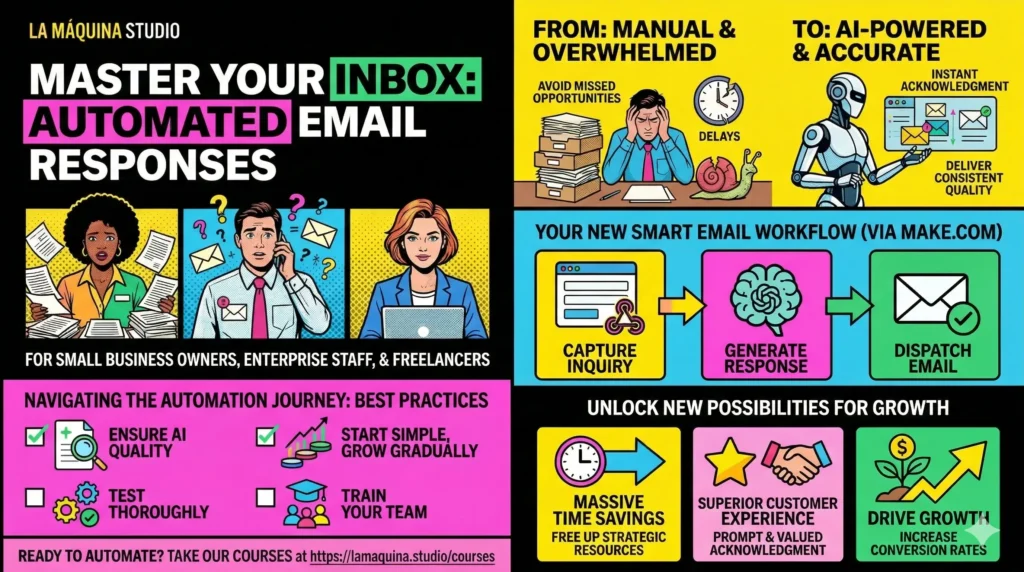
Steps to Set Up Automated Appointment Reminders
Setting up an automated system for appointment reminders can seem daunting, but with the right tools and guidance, it becomes a manageable project. Below, I’ll outline the steps you can take to get started, referencing Make.com’s WF3 workflow where relevant.
Firstly, identify the existing systems your business uses for appointment scheduling. Platforms like Calendly or Google Calendar are commonly used and offer integration capabilities that can be leveraged by automation tools. These platforms will serve as your starting point for implementing automated reminders.
Once you’ve mapped out your current systems, the next step is to choose a suitable automation tool. Make.com is a robust platform that can create complex workflows without needing extensive coding knowledge. This is where you’ll set up the automated processes, using the WF3 workflow as a foundational template. This workflow integrates Calendly with Google Calendar, Email, and MailerLite, allowing for a seamless flow of data and communication.
After selecting your tools, you’ll need to design your workflow. This involves configuring triggers and actions—when an appointment is booked in Calendly, a reminder email can be automatically sent to the client at a specified time before the appointment. Utilizing Make.com’s intuitive interface, you can customize this workflow to fit the specific needs of your business. Consider the timing of your reminders: is it best to send them 24 hours in advance? Perhaps a last-minute reminder an hour before is also beneficial.
Testing is a crucial step in setting up automated appointment reminders. Before going live, ensure that all components of the workflow are functioning as intended. Run test appointments through the system and verify that notifications are sent correctly and timely.
Finally, launch your automated appointment reminder system and monitor its performance. Collect feedback from clients and track any changes in your no-show rates. This data will be invaluable for making future adjustments and optimizations, ensuring that your automation continues to provide value over time.
Overcoming Challenges in Automation
Like any technology implementation, automating appointment reminders comes with its own set of challenges. Being aware of these hurdles and proactively addressing them is key to a successful rollout.
One common challenge is the integration of different platforms. Not all systems work seamlessly together, and there can be compatibility issues that require additional troubleshooting. This is where Make.com’s capabilities shine, as it offers a wide range of integrations, such as the ones utilized in the WF3 workflow. Spend time understanding the integration options available to prevent potential roadblocks.
Another challenge businesses face is resistance to change. Employees and clients may be accustomed to the existing manual processes and may express hesitation toward automation. Clear communication about the benefits of automating appointment reminders and training on new systems can help alleviate these concerns. Highlight how automation allows staff to focus on more meaningful tasks and enhances overall customer service.
Data security is also a significant consideration when automating appointment reminders. When handling client data, it’s imperative that your systems comply with data protection regulations, such as GDPR. Ensure that any platforms you use have robust security measures in place, and regularly audit your processes to maintain compliance.
Finally, there’s the learning curve associated with using new technology. While platforms like Make.com are designed to be user-friendly, there will still be a period of adjustment. Allocate time for training and encourage a culture of continuous learning within your team. As you become more familiar with the capabilities of automation, you can expand its application to other areas of your business.
Maximizing the Benefits of Automated Appointment Reminders
Once you’ve tackled the initial setup and challenges of automating appointment reminders, the next step is to maximize the benefits of your new system. Here are some strategies to ensure you’re getting the most out of your automation investment.
Firstly, take advantage of customization. Your business is unique, and your appointment reminders should reflect that. Customize the content of your reminders to include personalized messages, appointment details, and any preparation instructions clients may need. Personalization can enhance customer experience and reinforce your brand’s voice.
Additionally, consider expanding the scope of your automation beyond just reminders. The WF3 workflow already integrates email marketing with MailerLite, which opens up opportunities for post-appointment follow-ups and feedback collection. Leveraging these capabilities can deepen your engagement with clients and provide valuable insights into their satisfaction and preferences.
Regularly review and update your workflows. Business needs evolve, and so should your automation processes. Periodic evaluations can identify areas for improvement and ensure that your system remains aligned with your business objectives. Keep an eye on emerging trends in automation technology and consider incorporating new features that can further streamline your operations.
Finally, share your success and learnings. If your automated appointment reminder system has led to a noticeable improvement in no-show rates and customer satisfaction, highlight these achievements within your organization. Encourage other areas of the business to explore automation opportunities, fostering a culture of innovation and continuous improvement.
In conclusion, the decision to automate appointment reminders is a strategic one that can yield significant benefits for your business. By reducing no-show rates, enhancing customer experience, and optimizing operational efficiency, you can create a more streamlined and effective workflow. While there may be challenges along the way, platforms like Make.com offer the tools and support needed to overcome them and achieve your automation goals. At La Maquina Studio, we’re committed to helping businesses navigate these transitions, providing practical automation solutions tailored to your unique needs. For more insights, check out our detailed courses and automation kits at https://lamaquina.studio/courses. Embrace automation and transform how you manage appointments today.
Check out the courses you can learn in just a few days and implement in your business! Need help? Get in touch with me!


Susana Toth
Make.com Certified Expert & Founder, La Maquina Studio
Susana Toth is a Make.com Certified Expert and the founder of La Maquina Studio, where she helps small businesses and consultants eliminate repetitive work through smart automation. With 20+ years of experience in web design, business consulting, and digital strategy, she builds practical AI-powered workflows that save hours every week — without writing a single line of code. She writes about Make.com automation, AI integration, and building systems that work while you don’t.
Learn more about me →