
Learning how to stop wasting time on admin can be a game-changer for service businesses drowning in endless tasks. The irony is that most entrepreneurs start their businesses to escape the 9-to-5 grind, only to find themselves trapped in a cycle of 60-hour workweeks dominated by administrative duties. The promise of freedom quickly fades when faced with the daily deluge of emails, invoices, and scheduling conflicts. This reality is especially true for service-based businesses, where client management and operational logistics can consume the lion’s share of your week. However, there is a silver lining. By leveraging automation tools like those offered through Make.com, service businesses can significantly reduce their administrative burdens. Our focus is on two specific workflows: the Smart Contact Form and the Booking Assistant. Both are not only designed to cut down on manual tasks but also to reclaim precious hours, allowing business owners to focus on growth rather than the grind.
Table of Contents
The Admin Trap: A Vicious Cycle
In the world of service businesses, the admin trap is a vicious cycle that can feel impossible to break. It’s the scenario where business owners find themselves spending more time managing their business than actually doing the work they love. This cycle often begins with the noble intention of providing excellent service and ends with entrepreneurs buried under an avalanche of administrative tasks. The implications are significant, leading to burnout, inefficiencies, and, ironically, poorer service as the business grows.
The root cause of this cycle is multifaceted. For starters, the more clients you have, the more administrative work you generate. Every new client is a new set of emails, invoices, calendar entries, and follow-ups. The manual handling of these tasks not only consumes time but also mental bandwidth. The chaos becomes a breeding ground for errors, and the quality of your service may begin to suffer. At this point, the dream of owning a business starts to look more like a nightmare.
Some business owners attempt to tackle the problem by hiring administrative staff. While this can provide temporary relief, it’s not always a sustainable solution, especially for small businesses operating on tight margins. Moreover, the hiring process itself can be another administrative burden, adding to the complexity rather than relieving it.
Another coping mechanism is adopting a variety of applications to manage specific tasks. However, this often leads to a fragmented workflow where data is scattered across platforms, making it hard to maintain a coherent overview of your operations. This is where Make.com’s automation workflows, such as the Smart Contact Form and Booking Assistant, can come into play.
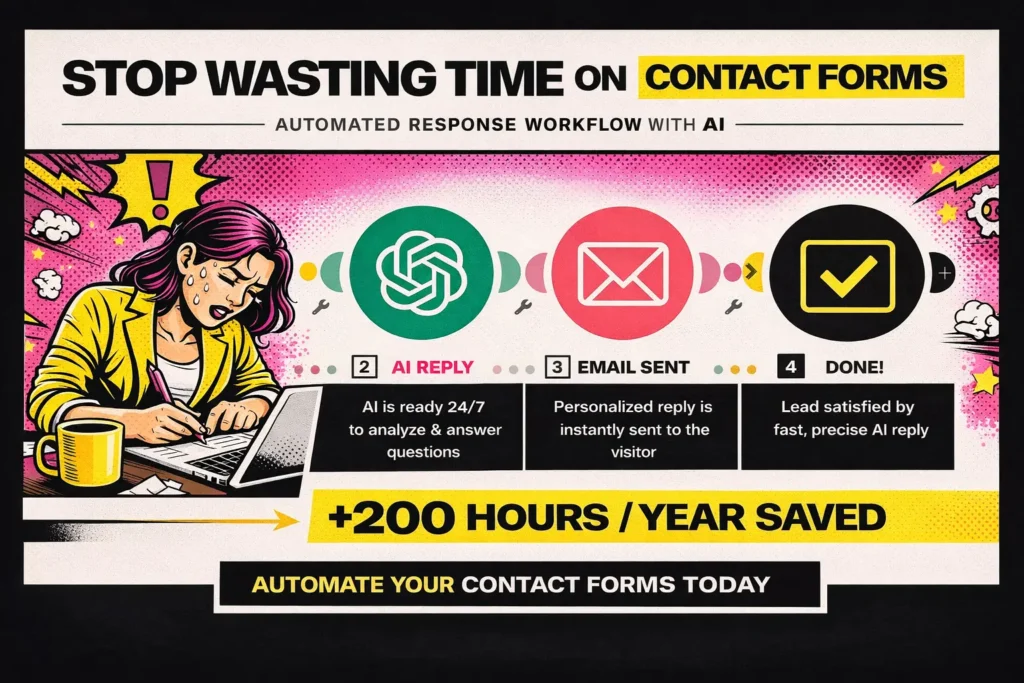
Smart Contact Form: A First Step Toward Automation
The journey of learning how to stop wasting time on admin begins with small, manageable steps. One such step is automating your contact form responses using Make.com’s Smart Contact Form workflow. This automation is a beginner-friendly solution designed to address the repetitive task of responding to inquiries.
This workflow uses a webhook to capture contact form submissions and integrates with OpenAI to generate personalized email responses. By automating this task, you eliminate the need to manually sift through each inquiry and craft a response. This not only saves time but also ensures that each potential client receives a timely and professional reply.
Implementing this workflow can feel daunting initially, especially if you’re new to automation. The learning curve involves understanding how webhooks operate and how to set up connections between various apps. However, the effort is well worth it. Once the Smart Contact Form is up and running, you’ll notice a significant reduction in the time spent on email management.
Beyond time savings, automating contact form responses enhances the customer experience. Instead of waiting hours or even days for a reply, potential clients receive almost instant feedback. This immediacy can set your business apart, creating a competitive edge in today’s fast-paced market. For detailed guidance on setting this up, refer to the Make.com course that covers this workflow.
Booking Assistant: Streamlining Scheduling
Another substantial time-drain for service businesses is managing bookings. The back-and-forth emails required to schedule appointments can eat up hours each week. Here, the Booking Assistant workflow from Make.com can be a game-changer.
This intermediate-level workflow connects Calendly with your calendar, email, and MailerLite. It automates the entire booking process, from the initial client inquiry to the final appointment confirmation and follow-up communications. This integration ensures that your calendar is always up-to-date, reducing double bookings and scheduling conflicts.
Moreover, the Booking Assistant can automatically populate client information into your CRM or email marketing tool, such as MailerLite. This seamless data flow is a massive timesaver, eliminating the need to manually enter data multiple times across different platforms. It also reduces the risk of errors that can occur when information is transferred manually.
While setting up the Booking Assistant requires a slightly steeper learning curve than the Smart Contact Form, the benefits are proportionally greater. The time saved on scheduling can be redirected toward providing exceptional service, developing new offerings, or simply enjoying a well-deserved break. More importantly, this automation contributes to a more professional client experience, reinforcing trust and reliability.
For step-by-step instructions on implementing the Booking Assistant, explore our Make.com automation course.
Overcoming the Learning Curve
Automation is not a magic bullet. It requires an upfront investment in time and effort to learn and implement effectively. For many business owners, the learning curve is the most significant barrier to embracing automation. However, understanding how to stop wasting time on admin involves acknowledging these challenges and committing to overcoming them.
One way to make the learning process more manageable is to start with smaller, simpler workflows. This allows you to get comfortable with the interface and basic concepts before moving on to more complex automations. Resources such as La Maquina Studio’s automation courses are invaluable in this regard, providing step-by-step guidance tailored to different experience levels.
Another strategy is to focus on the specific administrative tasks that consume the most time in your business. By targeting these areas first, you’ll notice immediate improvements, which can motivate you to continue exploring further automation opportunities.
It’s also worth noting that the skills you develop while implementing these initial workflows are transferable. As you become more proficient, you’ll find it easier to identify additional opportunities for automation across your operations, multiplying the time-saving benefits.
Remember, the goal is not to automate everything but to strike a balance where automation complements your personal touch and expertise. For many service businesses, this blend is the key to breaking free from the admin trap and achieving sustainable growth.
Conclusion: Reclaim Your Time
Ultimately, learning how to stop wasting time on admin is about reclaiming control over your business and your life. By embracing automation, you can break free from the admin trap and transform those 60-hour weeks into manageable, productive schedules. The Smart Contact Form and Booking Assistant workflows are excellent starting points, offering tangible time savings and enhanced client experiences.
The journey to automation is not without its challenges, but the rewards far outweigh the initial hurdles. As you become more adept at leveraging tools like Make.com, you’ll discover new ways to streamline your operations and focus on what truly matters—growing your business and delivering exceptional service.
Remember, the ultimate goal is to create a business that works for you, not the other way around. By taking the first steps toward automation today, you can build a more efficient, effective, and enjoyable business tomorrow.


Susana Toth
Make.com Certified Expert & Founder, La Maquina Studio
Susana Toth is a Make.com Certified Expert and the founder of La Maquina Studio, where she helps small businesses and consultants eliminate repetitive work through smart automation. With 20+ years of experience in web design, business consulting, and digital strategy, she builds practical AI-powered workflows that save hours every week — without writing a single line of code. She writes about Make.com automation, AI integration, and building systems that work while you don’t.
Learn more about me →