
You’re not running ads, not cold-calling, not bugging anyone about your business. You just ask 10 good questions – and people voluntarily tell you exactly what they need.
There’s one thing most coaches, consultants, and service-based business owners don’t take advantage of, even though it’s essentially free: the assessment. More specifically, an automated assessment report – a system where someone fills out your questionnaire and instantly receives a personalized, professional analysis. No manual work on your end.
Not the “please fill out our satisfaction survey” kind. The kind that gives real value back to the person filling it out: analysis, diagnosis, feedback. Something that would cost money anywhere else.
Think about how a good assessment works:
A nutrition consultant puts a “Free Nutrition Health Check” on their website. The visitor shares their eating habits, goals, and complaints. In return, they get a personalized analysis with specific recommendations. The consultant gets a potential client who just volunteered what they need, what they’ve already tried, and what they want to achieve. This isn’t a simple lead magnet. It’s a diagnostic tool that serves both the person filling it out AND the business owner.
Why Does This Work Better Than Traditional Lead Generation?
Traditional lead generation looks like this: you offer something (a PDF, a checklist, a coupon) in exchange for an email address. The problem? The person downloads the PDF, never reads it, and forgets they ever signed up.
Assessments are different.
For three reasons:
Commitment. Someone who spends 3–5 minutes answering your questions has already invested in the interaction. They didn’t just hand over an email – they thought about their situation, their goals, their problems. Psychologically, this is a completely different quality of connection than a download.
Self-segmentation. You don’t have to figure out whether the lead is a beginner or advanced, motivated or just curious, or what problem they’re dealing with. They tell you. Every answer is a data point that helps you understand who you’re talking to and what to offer them. These segmented lists become incredibly useful for targeted communication down the line.
Instant value. When the person gets an analysis based on their own answers – not a template, but personalized feedback – it builds trust. It demonstrates your expertise before they’ve spent a cent. This is one of those decision psychology elements where they’ll trust you far more than any competitor, because you gave them something valuable first. And that value can be as simple as a thought, a feeling that someone actually understands them.
Table of Contents
The Problem Isn’t the Assessment – It’s What Comes After
So far, assessments sound great. But in practice, there’s a serious bottleneck: you. Because you could have been using questionnaires all along – and if you did, you probably ended up with a pile of data you had to process and respond to manually. This is exactly why questionnaire automation matters – not the collecting part, but what happens after.
Reading through an assessment, evaluating the answers, and writing a personalized response: 20–30 minutes. If you get 10 submissions a week, that’s 3–5 hours. Per month, 12–20 hours. Per year, 150–250 hours – spent entirely on work that follows roughly the same thinking pattern every single time.
But time isn’t even the real problem. The delay is.
The person just finished the assessment. Right now, they’re thinking about their health / their business / their goals. Right now, they’re the most motivated, the most open. And what do they get? An automated “Thanks for filling this out, we’ll be in touch soon” email. By the time your response arrives, that enthusiasm has cooled off.
They’ve moved on mentally. The motivation is gone. The trust the assessment built has eroded. Not because you were bad – but because you were slow. Life got in the way, their attention shifted, and the work you put into the assessment doesn’t convert the way it could.
What I Built: 6 Make.com Modules That Do the Work for You
So the question isn’t whether you should use assessments. You should. The question is how to handle the processing without spending half your day on it.
My answer: a 6-module Make.com workflow that turns every form submission into an automated assessment report – AI analyzes the responses, generates a PDF, and sends it to the person, with zero human intervention.
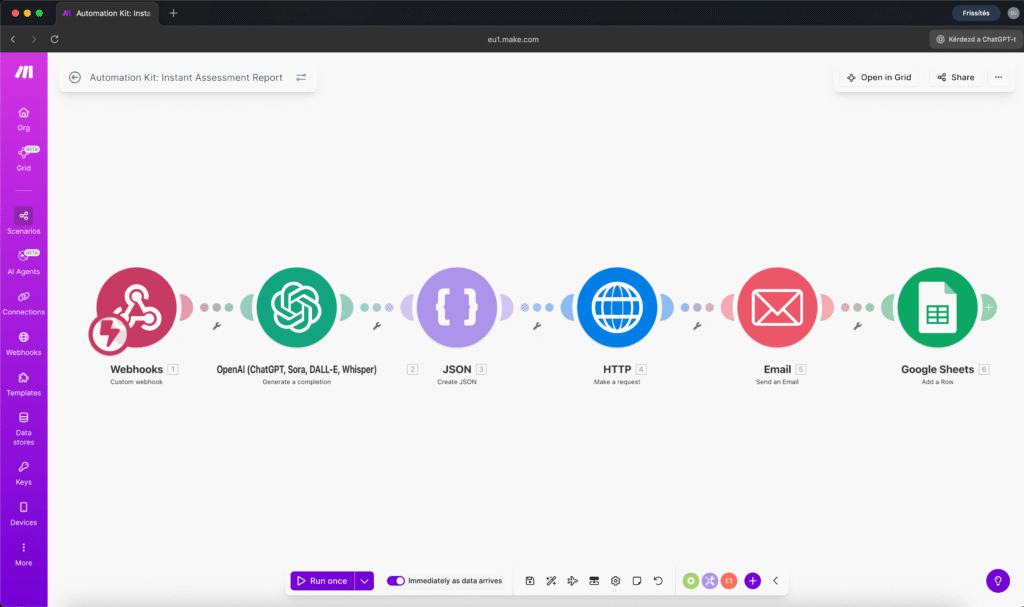
Here’s what happens when someone submits the assessment:
1. Webhook receives the data. The form – whether it’s WordPress, Tally, Typeform, or Google Forms – sends the answers to Make.com.
2. AI analyzes. OpenAI receives all the answers and, based on a carefully written prompt, creates the personalized analysis. The prompt defines what kind of expert the AI should be, what structure to follow, and how deep the recommendations should go. The output isn’t plain text – it’s formatted HTML with color-coded evaluations, sections, and headers. This is the heart of the whole system: the prompt, and also which model you choose for the analysis. For work at this depth, it’s not worth skimping on tokens – you need quality, not speed.
3–4. JSON escape + PDF generation. The AI-generated HTML becomes a professional PDF via the PDFShift API. (This is technically the trickiest part of the build.)
5. Email goes out. The PDF is sent as an attachment in a thoughtful email. Not a one-liner saying “here’s your report,” but with context, highlighting a few key findings, and a CTA: “Let’s discuss your results” – with a Calendly link or a limited-time offer.
6. Logging. Every submission is logged in a Google Sheets table: who, when, what answers, whether the report was sent. After a month, you can see exactly who your leads are, what problems come up most often, and how many turned into consultations.
Total: 6 modules. 6 Make.com credits per run. AI cost per submission: a few cents. But the effectiveness outperforms every other sales method.
The Trick Isn’t the Technology – It’s the Prompt
Building the workflow takes half a day if you’ve worked with Make.com before. But what makes or breaks everything is the quality of your prompt.
The prompt is where you define how the AI thinks. What kind of expert it should be. What structure to follow. How to evaluate a response given on a 1–10 scale. When to flag a warning. What tone to use. This isn’t a single sentence – a good prompt is 30–50 lines, and it’s essentially “encoding your expert knowledge.”
The demo I built is a nutrition consultant’s assessment. The person enters their age, weight, eating habits, goals, and complaints. The AI takes that and:
- Calculates BMI and puts it in context
- Evaluates eating habits against the person’s stated goals
- Provides 5 specific, prioritized recommendations
- Creates a 7-day sample meal plan
- Flags anything that needs attention (sleep, hydration, exercise)
- Packages everything into a professional, brand-matched, color-coded PDF
From the person’s perspective: I filled out a free assessment, and within 2 minutes I received a 4-5 page analysis I could show my doctor. That’s the power of an automated assessment report – and that’s the moment when “I’ll think about it” turns into “I want to work with this expert.”
Adaptable to Almost Any Field
The workflow itself is universal. That’s the beauty of questionnaire automation done right – you only need to change two things: the form questions and the AI prompt. The pipeline – webhook + analysis + PDF + email + logging – stays the same.
Fitness coach: health assessment → training plan + nutrition recommendations as PDF → Calendly link for consultation
Business consultant: business diagnostics → business health score, SWOT, top 3 priorities → “Book a strategy session”
Therapist / psychologist: intake questionnaire → structured summary, symptom patterns, suggested direction → first session preparation
Marketing consultant: online presence audit → scoring, gaps, 90-day action plan → “Let’s discuss your strategy”
Coach (any type): self-assessment → strengths, blocking patterns, 3-step action plan → coaching program recommendation
Same logic in every case: the person answers, AI analyzes, the person instantly receives a professional document, you get the data and the opportunity. The automated assessment report framework stays identical – only the questions and the prompt change.
The Assessment as a Sales Funnel
What most business owners miss: a well-configured automated assessment report isn’t an admin tool. It’s a sales funnel that runs by itself.
The person doesn’t receive an ad – they receive value. Not a promise, but a result. Not “buy my service,” but an analysis that shows them why they should buy your service.
And the Google Sheets logging reveals patterns over time. What kind of people fill out the assessment? What problems come up most? How many submissions become consultations? How many consultations become paying clients? This isn’t a manual report – it builds itself with every submission.
What Does It Cost?
Make.com: The free tier is enough to start (1,000 credits/month ≈ 160 assessments). If you need more, the Core plan is about $10/month.
OpenAI API: Pay-as-you-go. One analysis with gpt-4o-mini costs $0.01–0.03. At 5 submissions per day, that’s under $5/month. The gpt-4o model gives deeper analysis at $0.05–0.10 per submission.
PDFShift: 50 free conversions per month. Beyond that, $9/month.
Total: $15–25/month for realistic usage. Name another questionnaire automation setup that’s this effective at this price – one that not only acquires clients but builds your services with valuable data.
If You Don’t Want to Experiment: Automation Kit
Building the workflow takes half a day if you know Make.com. But writing the prompt – the part where you encode your expert knowledge – can take days if you’re starting from scratch. That’s why I packaged the entire automated assessment report system into a ready-made kit.
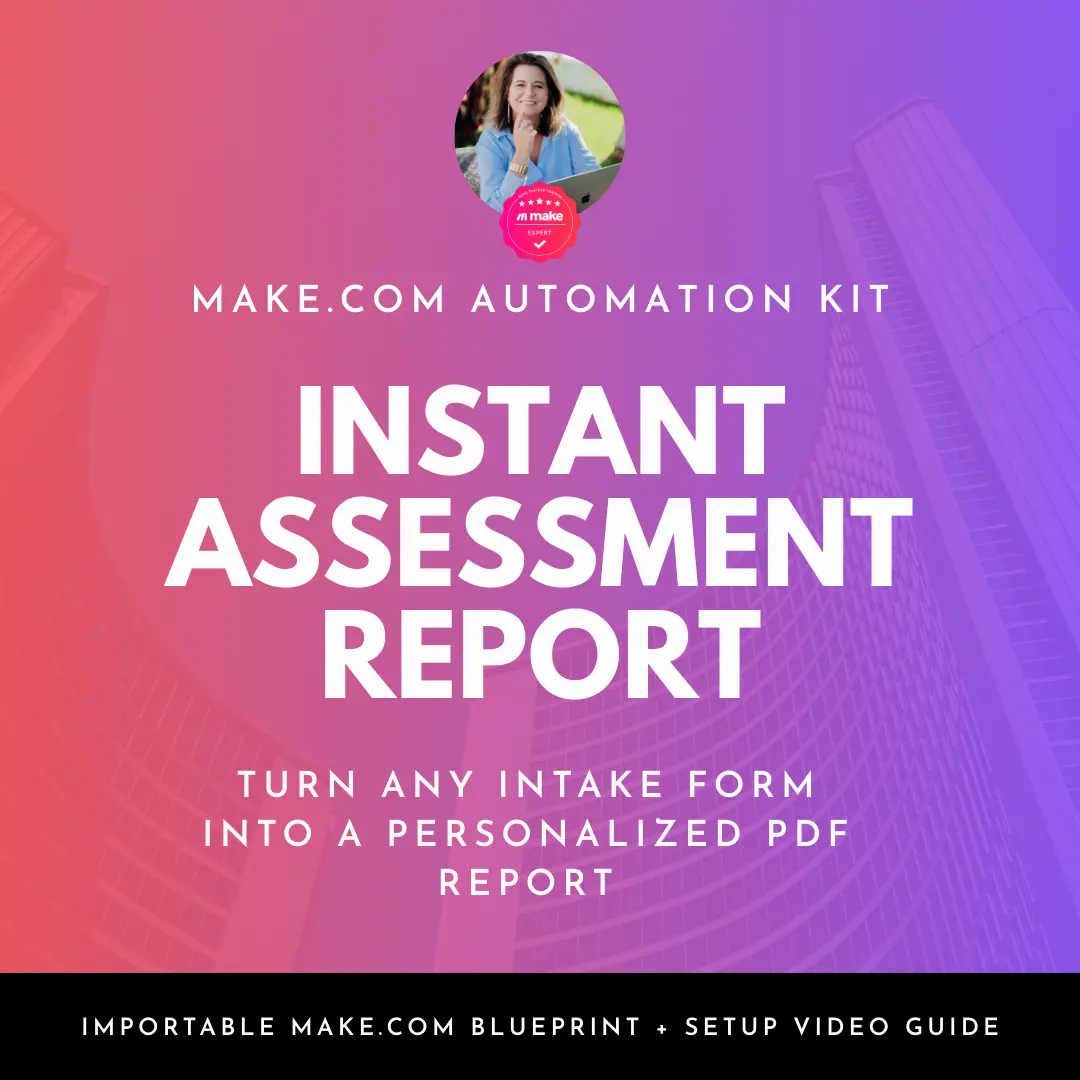

The kit includes:
- Importable Make.com blueprint (JSON) – the complete 6-module workflow
- Tested AI prompt – analysis, evaluation, PDF report generation
- WordPress-compatible HTML form – ready to embed
- Google Sheets template for logging
- Setup video – from webhook configuration to your first test
- Troubleshooting guide – the 12 most common Make.com errors and how to fix them
Import it, enter your own details (email, Sheets, API key, Calendly link), and it works.
Setup time: 60–90 minutes.


Susana Toth
Make.com Certified Expert & Founder, La Maquina Studio
Susana Toth is a Make.com Certified Expert and the founder of La Maquina Studio, where she helps small businesses and consultants eliminate repetitive work through smart automation. With 20+ years of experience in web design, business consulting, and digital strategy, she builds practical AI-powered workflows that save hours every week — without writing a single line of code. She writes about Make.com automation, AI integration, and building systems that work while you don’t.
Learn more about me →